Protect the repository hosting your GitHub Action (2026)
Protect the repository behind your GitHub Action with rulesets, immutable releases, reviewed workflows and locked dependencies.

A GitHub Action is code that other people run inside their workflows, often with access to a repository token or secrets. That makes the repository hosting your action part of their software supply chain. A compromised maintainer account, workflow or dependency can turn a convenient uses: owner/action@v1 into a way into someone else’s build.
I wrote the original version of this post in 2023. Rulesets, immutable releases and workflow dependency lockfiles give action authors better options now, but they don’t make trust automatic. Here is how I would protect the repository in 2026.
1. Secure the maintainers
The author of a GitHub Action should enable two-factor authentication on every maintainer account. Prefer phishing-resistant methods where available, keep recovery options safe and remove access when it is no longer needed.
Consider hosting your actions in an organization instead of a personal account. An organization can require 2FA and centralize policies. A verified creator badge can help identify the publisher, but it does not prove that the action’s code is safe.
Keep the number of people and credentials with write access small. Someone who can change workflows or tags can potentially change what downstream users execute. Prefer contributions from forks and pull requests over granting occasional contributors direct write access.
2. Limit workflow permissions and outside contributions
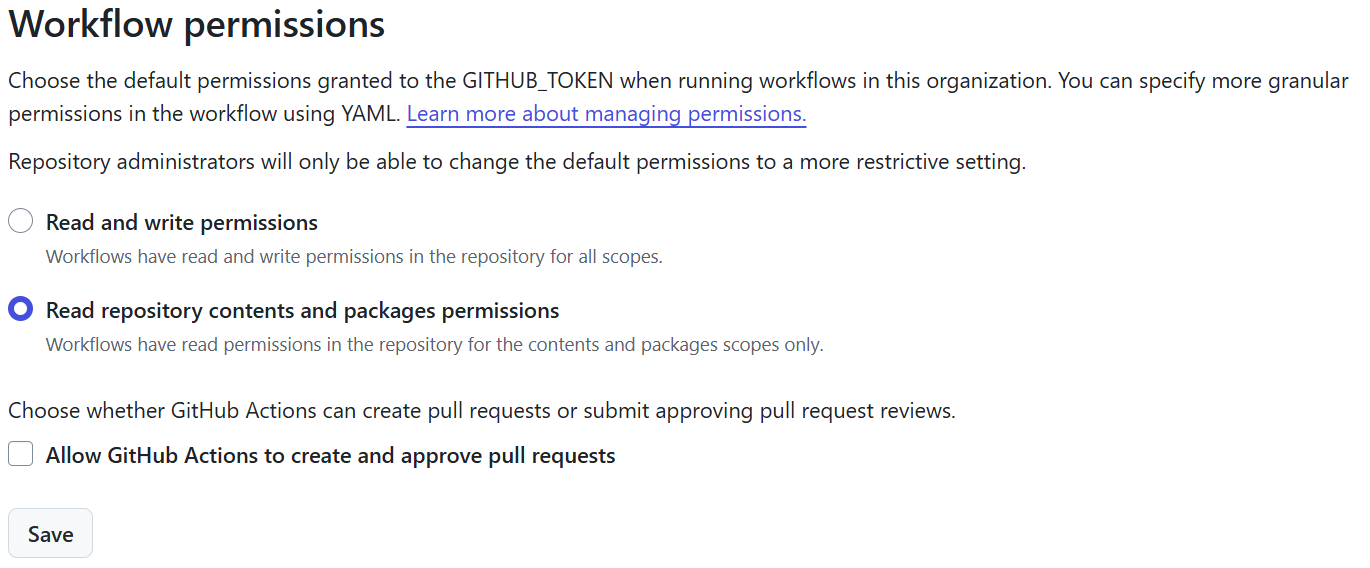
In repository settings, set the default GITHUB_TOKEN permissions to read repository contents and packages, and do not allow workflows to create or approve pull requests unless you have a reviewed reason to do so. Grant additional permissions to individual jobs only when needed. Document the permissions consumers need when they use your action.
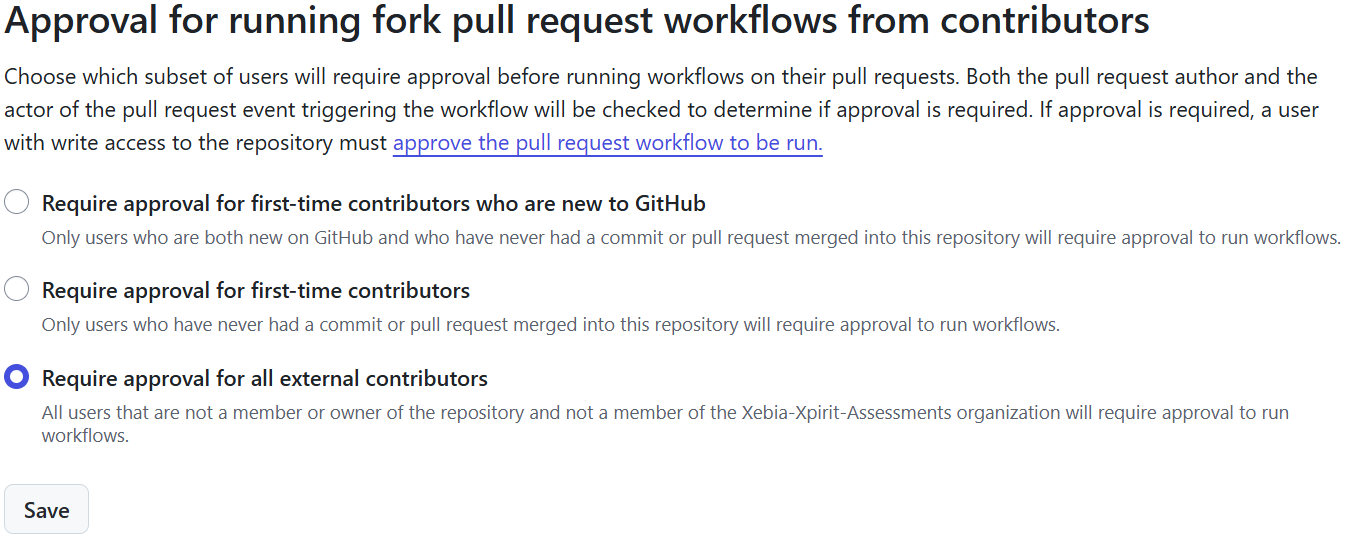
Require approval for workflows from outside contributors. The approval policy and fork permissions are distinct: a normal pull_request from a fork generally receives a read-only token and no repository secrets, so checks that need write access may need a different design. Do not solve that by running untrusted pull request code with a privileged token.
Workflow execution protections can restrict which actors or events may run selected workflows. Test the scope carefully so you don’t accidentally block Dependabot, release automation or required checks. Evaluate mode is available on GitHub Enterprise Cloud; elsewhere, roll out active policies to a small, known set first.
Avoid pull_request_target unless you need its privileged context, and never check out and execute untrusted pull request code in that context. Treat artifacts from untrusted workflows as untrusted too. As of November 2026, GitHub has announced a default policy blocking pull_request_target in public repositories from December 2, 2026; check the current guidance before relying on it.
To block this trigger across your repository, go to Settings → Actions → Policies and create an Actions policy targeting all workflows. Add a Restrict events rule and allow the events your workflows need, but leave pull_request_target out of the allowlist. Check every event you rely on, including push, pull_request, release, workflow_dispatch and workflow_call where relevant: any omitted event is blocked for targeted workflows. Use policy insights and Evaluate mode where available before switching to Active. An explicit policy can protect private repositories too, where supported, and can block the trigger before the public-repository default takes effect. Use organization or enterprise targeting for a broader blanket policy.
3. Protect release tags and floating tags differently
Create tag rulesets under Settings → Rules → Rulesets. Rulesets use fnmatch, not regular expressions. For example, v[0-9]* matches names starting with v and a digit, including v1 and v10, without matching verify-sanity. It also matches other names starting with a digit; test your patterns against your actual tags. * does not mean “digits only”.
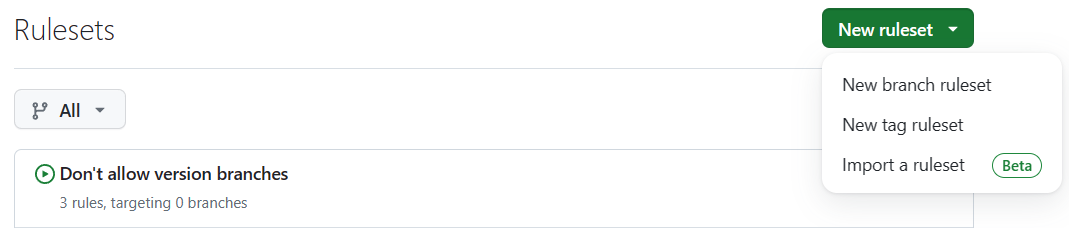
I use separate rulesets because a bypass applies to the whole ruleset:
- Freeze patch-version tags. Target a pattern such as
v[0-9]*.*.*; restrict updates and deletions and block force pushes. Don’t grant a routine bypass. Check your naming scheme, including prerelease tags, before enabling the rule. - Restrict creation of patch tags. Use a separate ruleset with the same target, restrict creation and grant bypass only to the release identity or repository administrators who actually publish. A release workflow that creates tags needs the right bypass too.
- Prevent deletion of floating tags. Target the major and minor tags you use, exclude patch tags and restrict deletions without a routine bypass.
- Restrict creation and movement of floating tags. Use a separate ruleset for those same floating tags, restrict creation and updates, and block force pushes. Allow only your release identity or selected administrators to bypass it: updating an existing floating tag normally requires a force update.
For the floating rules, one possible starting point is include v[0-9]* and exclude v[0-9]*.*.*. These are broad glob patterns, not semantic-version validation. Check what they match, including nonstandard names, before turning them on.
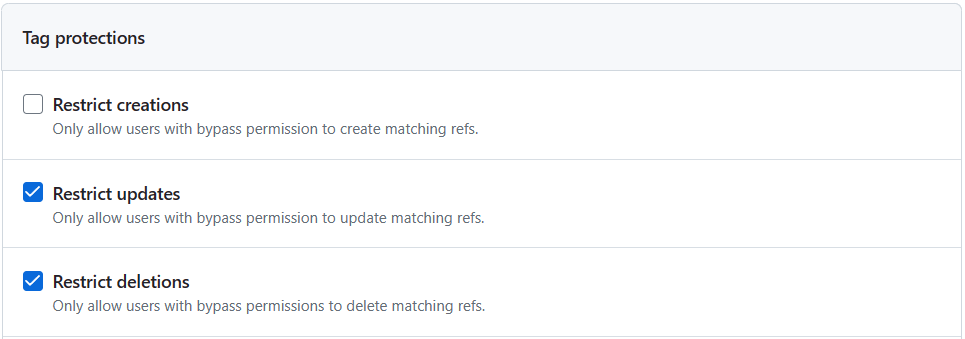

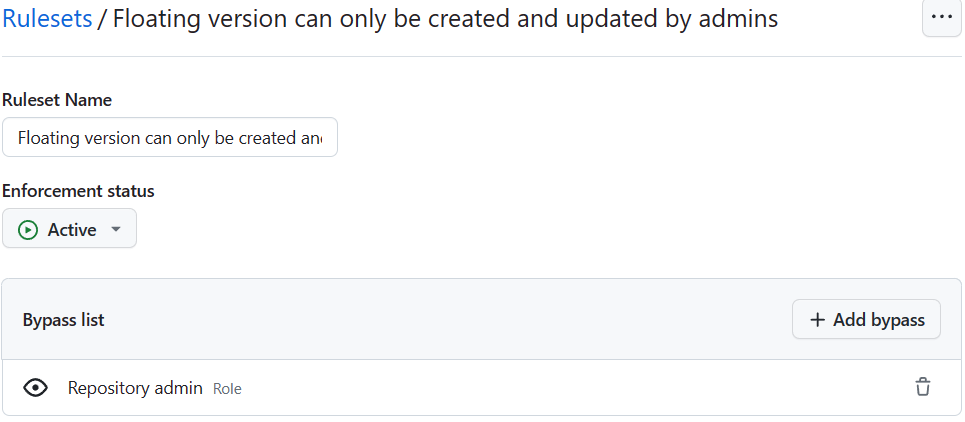
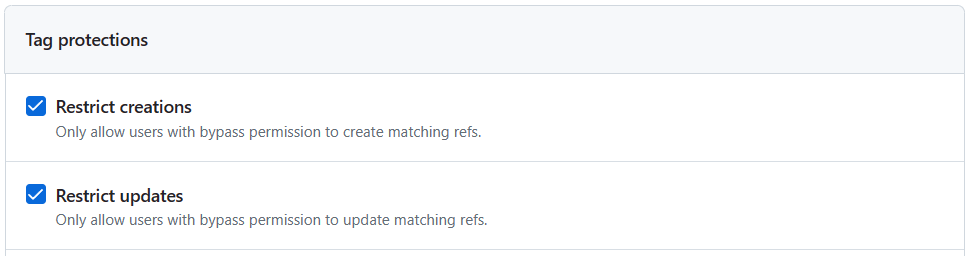
These settings are not a substitute for controlling who can change the rulesets themselves. A repository administrator can change or disable them, and bypasses apply to all rules in the same ruleset.
4. Publish immutable patch releases
Enable release immutability in the repository’s general settings. A published immutable release protects its tag and assets from changes and has a release attestation. It does not freeze release notes or other editable release metadata, and it only applies to releases published after the setting is enabled.
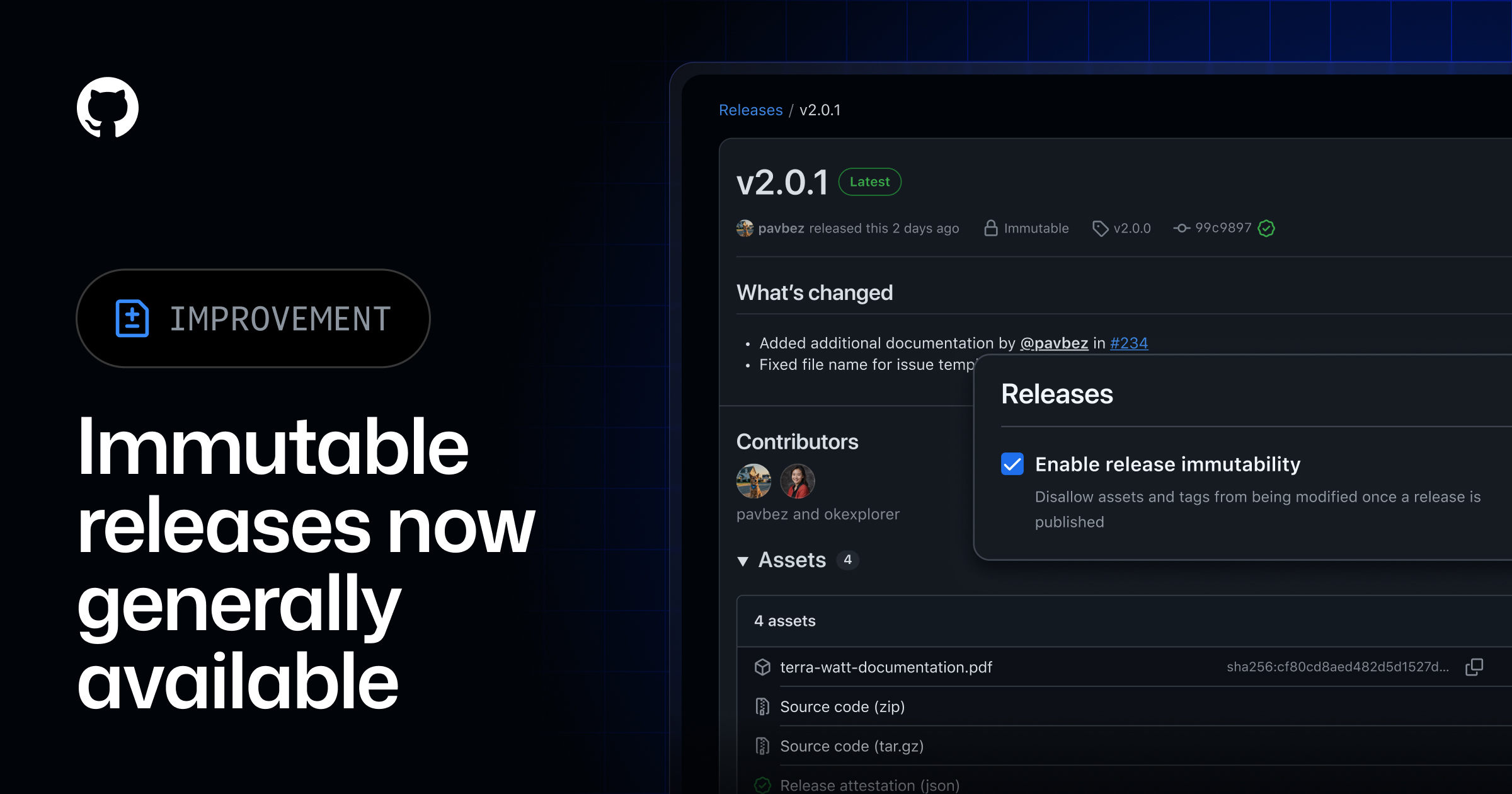

Use a full version such as v1.2.3 for the immutable release. Build and test the code you intend to ship, create a draft release, attach its assets, and publish only when everything is ready. gh release create with assets also creates a draft while uploading before it publishes. Don’t plan to replace assets or reuse an immutable release tag to fix a bad release: publish a new patch instead. Review your release automation for operations such as --clobber.
Don’t assume that a protected default branch means every tag points to reviewed code. As the older SLSA source-control threat analysis explains, someone who can create a release tag may be able to point it at an unreviewed commit. Restrict tag creation and have the release workflow check that the tagged commit is on the reviewed release branch before publishing. An ancestry check alone can still accept an old, vulnerable commit, so review which commit is being released too. If your build creates a separate release commit, define and verify an equivalent trusted path instead of blindly applying that check.
The floating tags v1 and, if you support it, v1.2 are separate Git tags. They must not be attached to immutable releases if you intend to move them. After publishing and verifying v1.2.3, update those floating tags to the same intended commit using the restricted release identity. GitHub’s immutable releases and tags guide describes this model.

An immutable release protects what was published, not whether the code was safe when you published it. If an attacker can publish a new release or move a floating tag, they can still affect users who follow that new reference. Review the release, limit who can publish, and protect the floating tags too.
You can check the release attestation and its recorded commit before reviewing or using a release:
gh release verify v1.2.3 -R OWNER/ACTION-REPOSITORYThis is an explicit check; GitHub Actions does not run it automatically for everyone consuming uses: references.
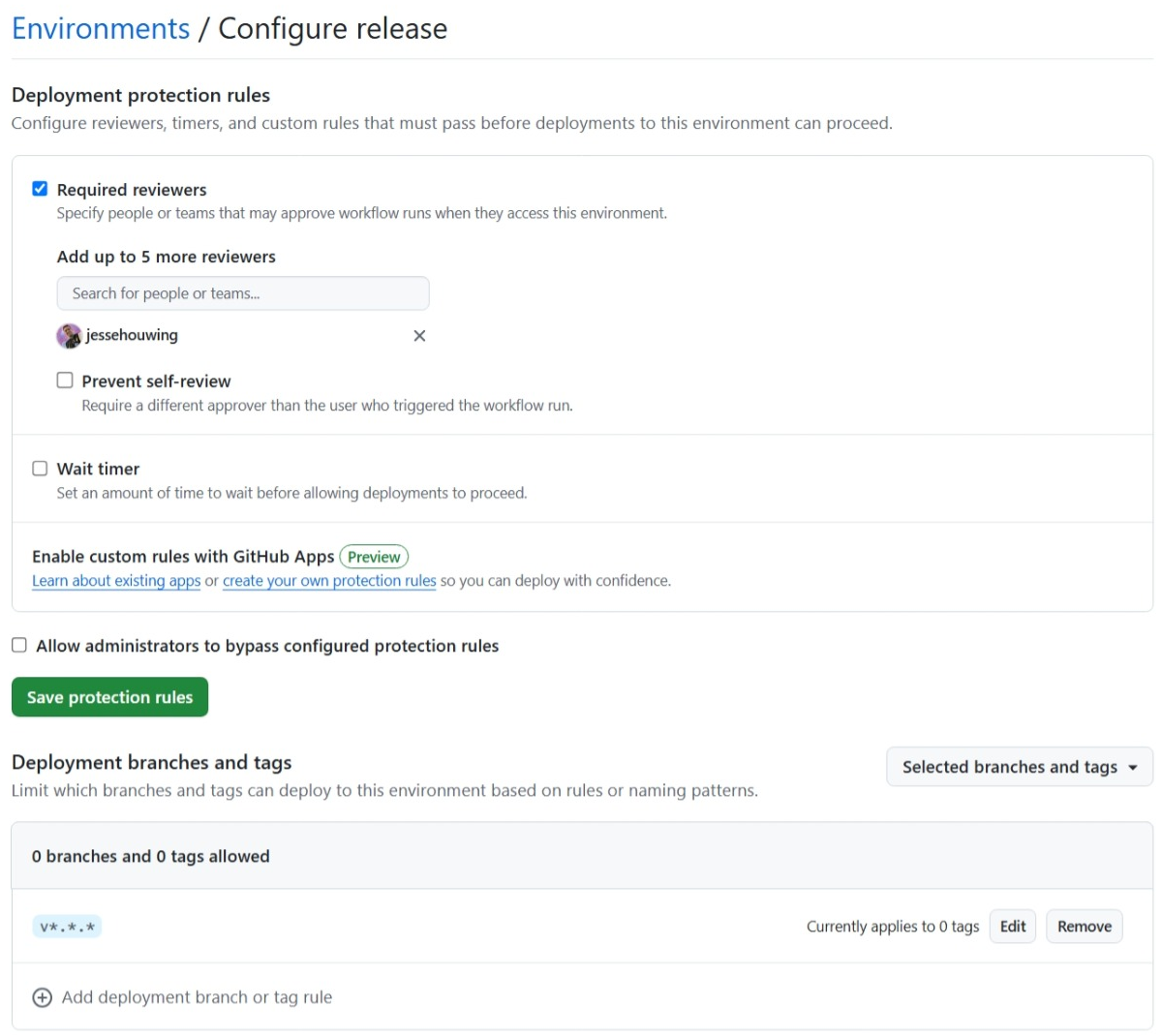
If you publish from a workflow, use a protected release environment, restrict which tags can deploy and require a reviewer where appropriate. Prevent self-review when you have another reviewer. For a solo maintainer that may not be possible, so be explicit about the tradeoff. An environment gates jobs that use it; it does not prevent a user or token with repository write access from publishing through the Releases API.
You can also limit who can trigger your publication workflows with an Actions policy. In Settings → Actions → Policies, create a separate policy, target the release workflow paths and enable Restrict actors. In my example, the path pattern .github/workflows/*release* targets matching release workflows and the allowed actor is the Repository admin role. Use exact paths or patterns that cover every workflow that can publish, and protect the policy and workflow changes themselves. Use Evaluate mode where available and check policy insights before enforcing it.
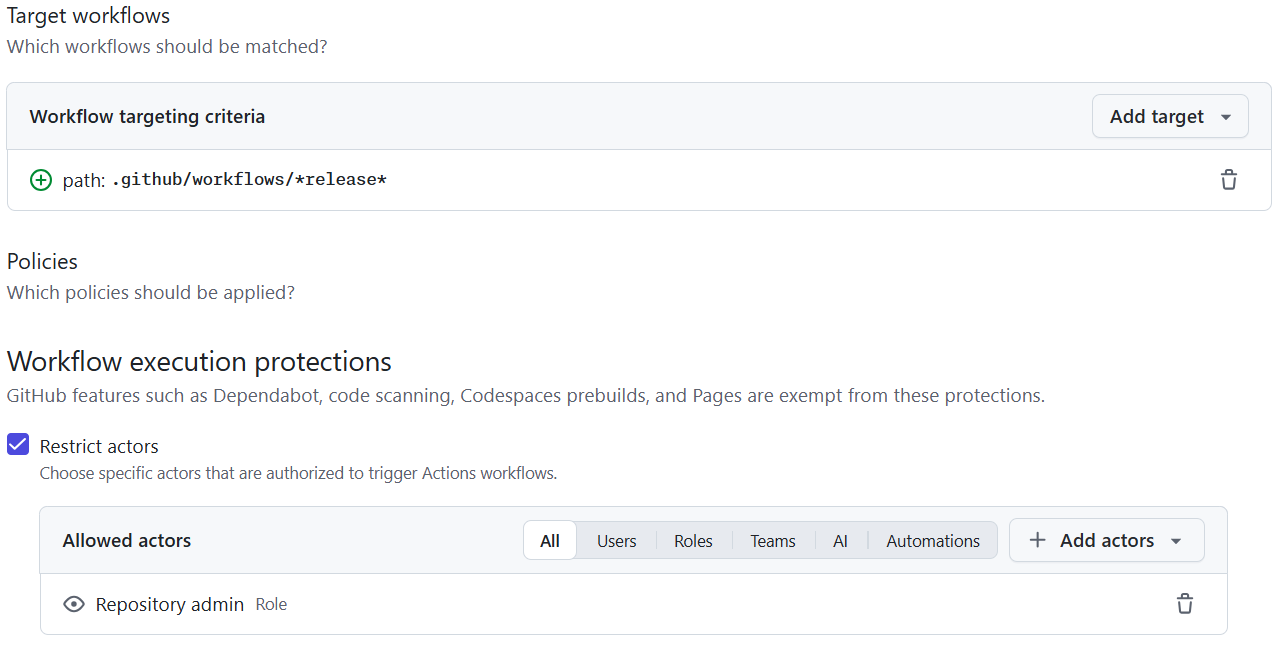
The rule restricts the actor who triggers a matching workflow; it does not restrict the job's token or prevent someone with sufficient permissions from publishing through the API or another workflow. Make sure required automation identities are allowed, or their runs may be blocked. GitHub's built-in feature processes are exempt, but your own workflows triggered by a bot may still need that bot explicitly allowed. Keep tag protections and the release environment as separate safeguards.
For JavaScript actions, test the actual bundled output and ensure the committed distribution matches the source and lockfile. For composite or Docker actions, review what the published action.yml invokes. If you publish binaries or other assets, consider generating build attestations and document how consumers can verify them. A release attestation and build provenance answer different questions; neither proves the source is benign.
5. Protect branches and release code
Protect the default branch with a branch ruleset: require pull requests, meaningful tests and security checks, block force pushes and deletion, and require code-owner review for sensitive files when independent reviewers are available. Review workflows, action.yml, lockfiles and release scripts as carefully as the rest of the action.
Where a team can provide independent review, dismiss stale approvals when the pull request changes and consider requiring approval of the most recent reviewable push. That addresses the risk of adding unreviewed changes after approval; it does not prevent an inattentive or compromised reviewer from approving malicious code. Avoid giving automation identities a way to both introduce and approve changes or bypass required review.
CODEOWNERS is useful for ownership and review requests, but its configuration lives in the repository. For eligible organization-owned repositories, the required reviewer rule can require a specified number of approvals from designated teams for matching paths. An organization-level ruleset can cover workflows, action definitions, lockfiles, release scripts and CODEOWNERS across repositories without relying on each repository’s CODEOWNERS file. That makes the requirement harder to remove for an attacker who controls only one repository, provided they cannot modify or bypass the organization rule or control its team. Required teams need write access or higher; review their membership, path patterns and the bypass list. Set at least one required approval: zero requests review but does not require approval. The rule complements CODEOWNERS, and it is not available on personal repositories without teams.

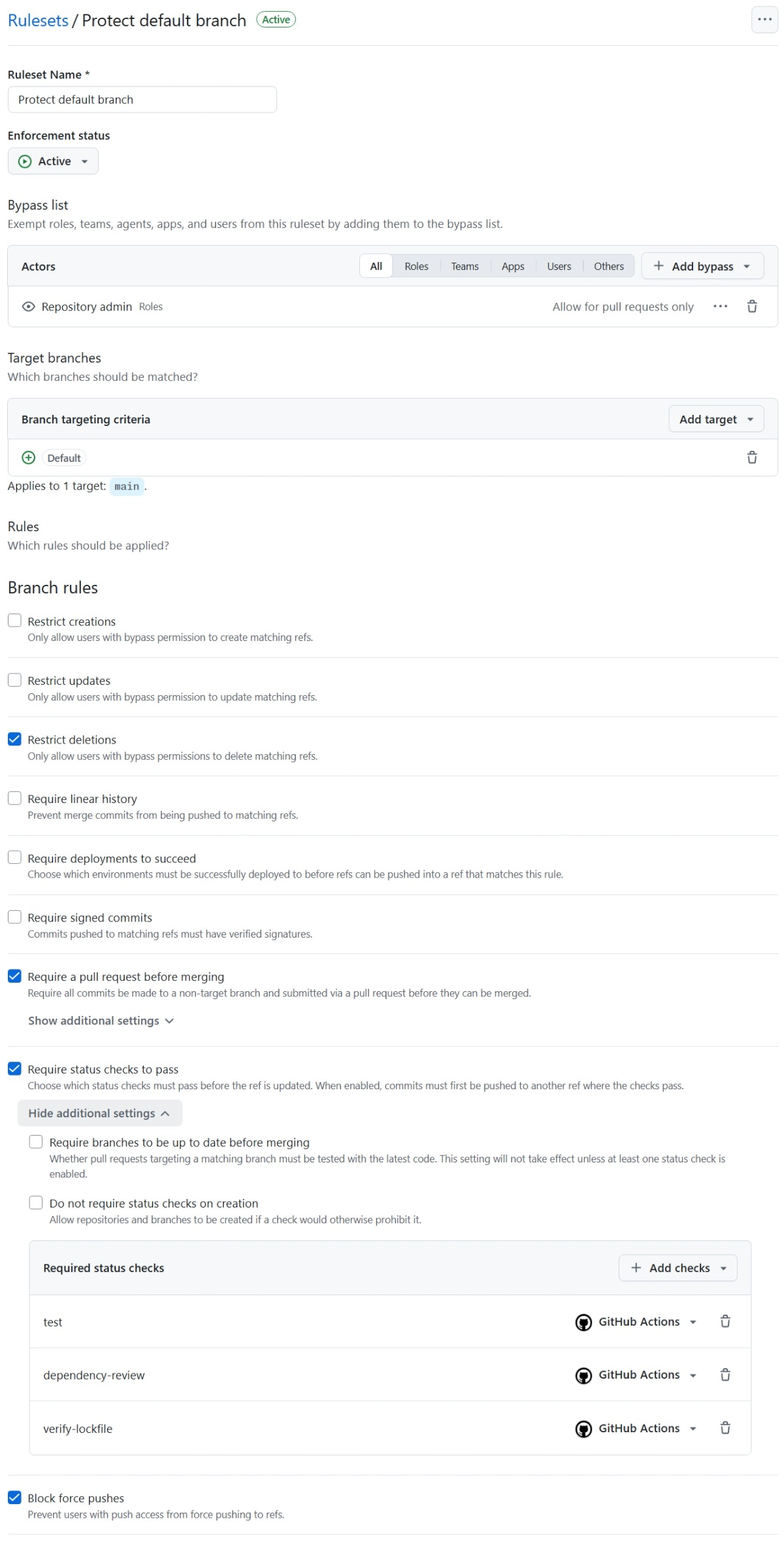
Require your own real check names and confirm they run on every relevant pull request; a required check skipped by a path filter can leave a pull request blocked.
For a solo-maintainer repository, an approval from another code owner may not be possible. Choose a recovery and bypass policy deliberately. A pull-request-only admin bypass preserves a PR trail but permits an administrator to bypass checks when merging; it is not equivalent to independent review.
Consider a separate branch ruleset preventing creation or updates of version-like branches if your project reserves names such as v1 for tags. Use a pattern such as v[0-9]* and test it against your branch names. This avoids ambiguous version names; don’t rely on a blanket claim about how every API or resolver handles a branch and tag with the same name.
Signed commits can be another layer where maintainers can protect and rotate their keys. A verified badge shows a signature is valid for a registered key; it doesn’t prove the account, private key or review process is trustworthy. I discuss the limits in The use or uselessness of signed commits.
6. Turn on GitHub’s security features
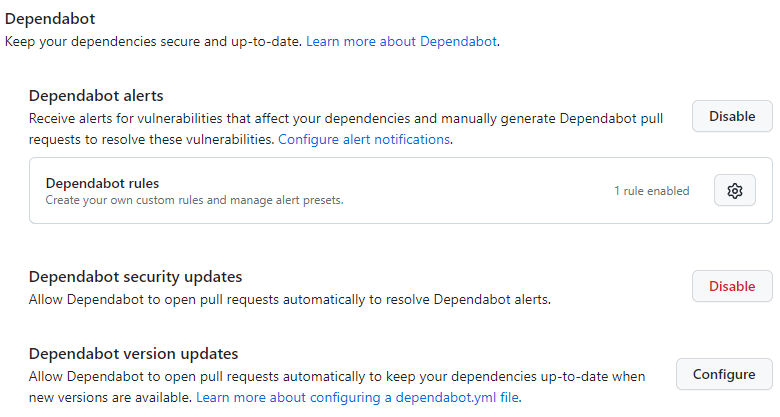
Enable secret scanning and push protection, Dependabot alerts and security updates, and code scanning. Configure CodeQL for GitHub Actions as well as the languages used by your action when supported. Add required code-scanning results to the branch ruleset after analysis is running, and use dependency review on pull requests.
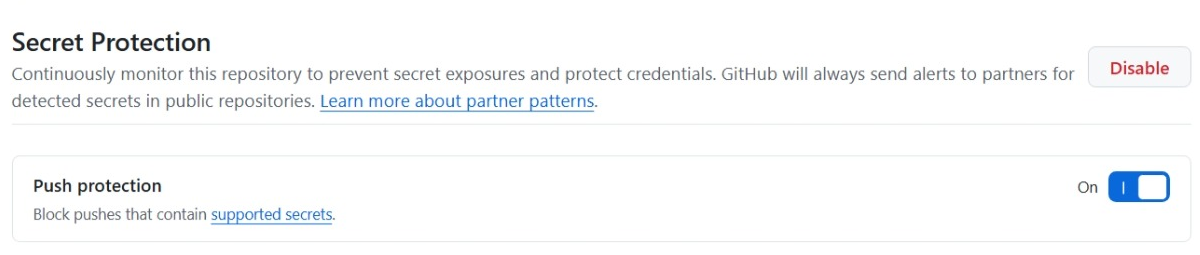
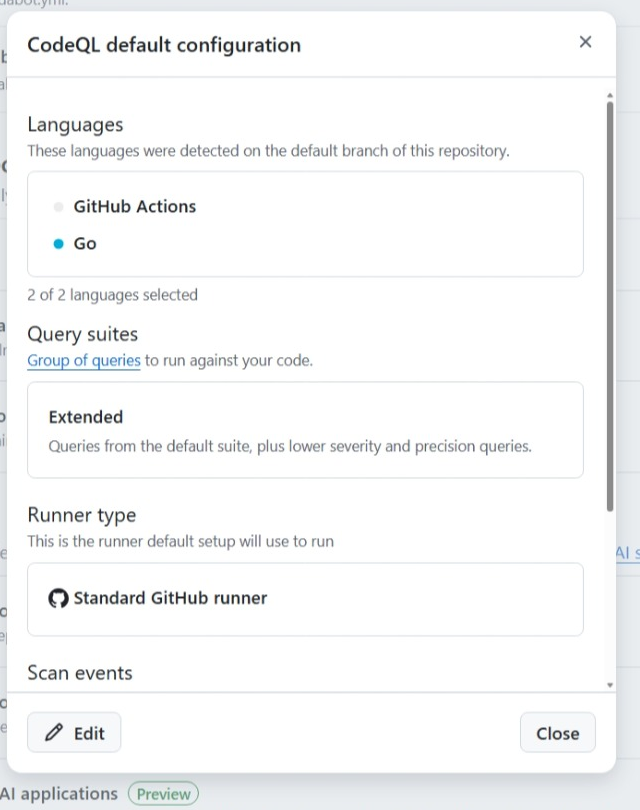
Check availability and billing for your repository and account, especially before enabling paid features such as Code Quality. A dashboard is useful, but a check enforced on the pull request can stop a problem before it reaches a release.
Enable Dependabot version updates for GitHub Actions and every package ecosystem your action actually uses. For a JavaScript action, that includes npm:
version: 2
updates:
  - package-ecosystem: github-actions
    directory: /
    schedule:
      interval: weekly
  - package-ecosystem: npm
    directory: /
    schedule:
      interval: weekly
Review the updates and their lockfile and bundled-output changes. Configure a cooldown where it suits your threat model, while still promptly handling security updates.
7. Prefer short-lived, narrowly scoped credentials
Start with GITHUB_TOKEN and the minimum permissions for the job. For cloud resources, use OIDC when supported instead of a long-lived cloud secret. Where automation needs access outside the repository token’s scope, consider a GitHub App installation token limited to the required repositories and permissions.
If you need a personal access token, prefer a fine-grained token with an expiration and only the repositories and permissions required. Rotate exposed credentials immediately. Organization SSO and token policies can add protection where available, but don’t replace least privilege.
8. Lock the actions your own workflows use
Your action repository consumes actions too. A direct uses: owner/action@v1 can move, and pinning a composite action to a SHA does not by itself pin the other actions that composite action calls. Review and minimize the dependencies in the release path.
Workflow dependency lockfiles record the commit and repository identity for action dependencies, including supported transitive action dependencies. GitHub runs the locked commit for onboarded workflows. You can keep readable version references in workflow files while reviewing the lockfile diff:
gh extension install github/gh-actions-lock
gh actions-lock
gh actions-lock --verify
Review the tool and its release before installing it. The generator can rewrite uses: references as well as the lockfile, so review the entire diff. Commit .github/workflows/actions.lock, update it when workflows change, and make verification a required pull request check. Dependabot can update entries for already-onboarded workflows; it does not automatically onboard a new workflow.
The lockfile is not a universal build lock. It does not pin reusable workflows called at the job level; pin those references to a full commit SHA and make sure the called repository has its own lockfile. It also does not lock arbitrary scripts, container image contents, package downloads, inputs, secrets or runner images. Local ./ actions run from the checked-out workspace; see GitHub’s local-action guidance before migrating them to $/.
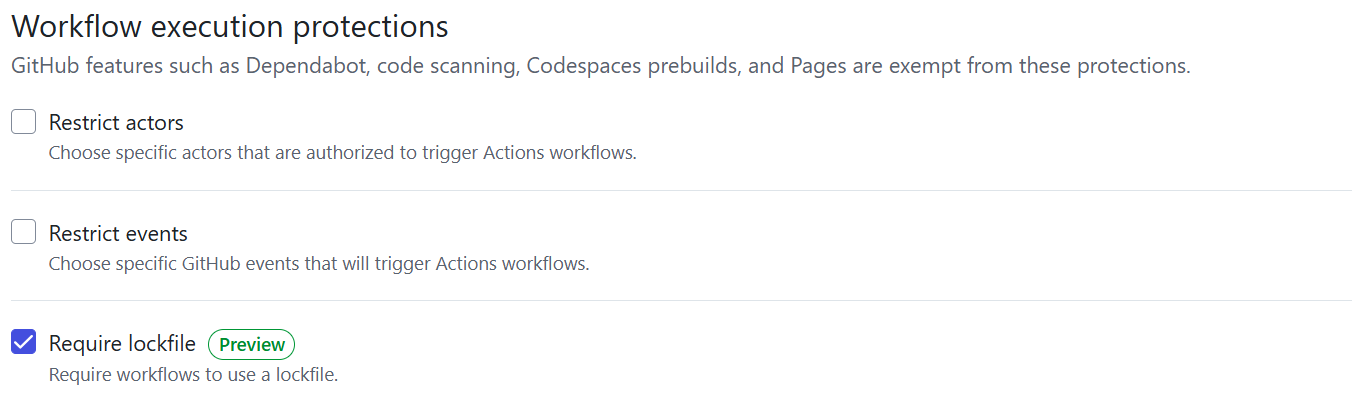
After onboarding and verifying the targeted workflows, enable the Require lockfile workflow execution protection. It can block targeted workflows that are not onboarded, including workflows without action dependencies. Check reusable workflows and rollout scope first. An onboarded lockfile also satisfies GitHub’s separate SHA-pinning policy; if you can’t use a lockfile, pin actions to full commit SHAs, verify their source and review updates instead.
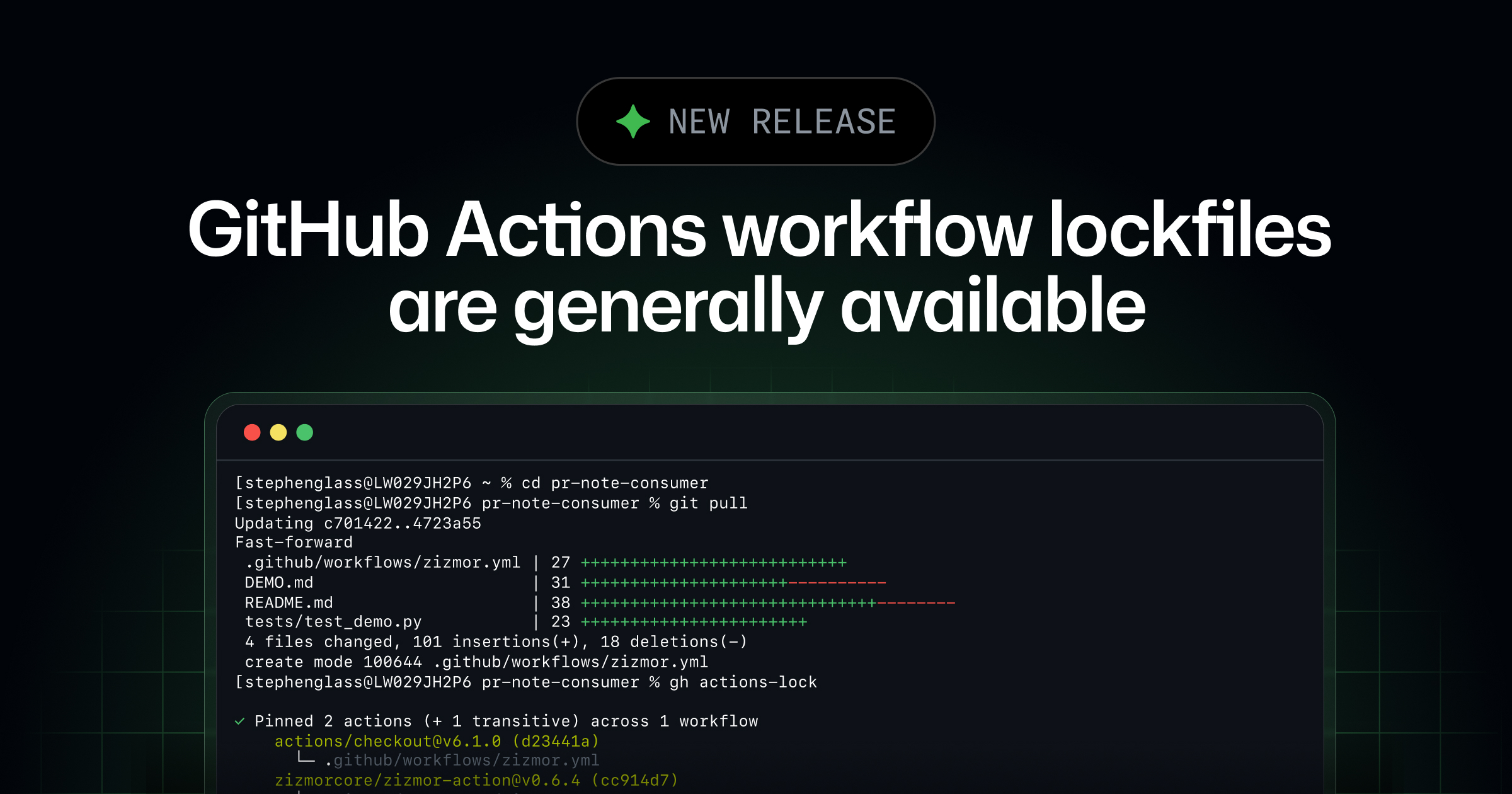
For a broader walkthrough of workflow protections, see Keep the creepy crawlies out of your workflows.
9. Reduce dependencies without creating new risks
I previously replaced an automatic-release action with a short script. That removed a dependency, but force-moving a latest tag and publishing directly is not a good default for an immutable-release process. Fewer dependencies help only if the replacement is still reviewed, least-privileged and safe.
Keep release workflows small, review every action that receives a token or secret, and pin or lock the actions you keep. Don’t interpolate untrusted issue or pull request text directly into shell scripts. Pass it through environment variables and quote it, as described in GitHub’s secure use reference.
10. Keep version pointers correct
If v1 still points to v1.0.0 after you’ve shipped v1.0.5, users of @v1 won’t receive the fixes. If v1 points to the wrong commit, they may run code you never intended to release. After every release, check that your floating major and optional minor tags point to the latest compatible published stable patch.
My earlier post used the Actions SemVer Checker. Its successor, gh-actions-version, can verify version tags and release configuration:
gh extension install jessehouwing/gh-actions-version
gh actions-version verify -R OWNER/ACTION-REPOSITORY
Review and verify the extension you install, and choose a release or commit you trust. Configure the tool for the tag and branch conventions your action actually uses. Prerelease status is taken from the GitHub Release, not inferred from a tag suffix; the tool doesn’t support suffixes such as -beta. Verification is a useful check, but protect the identity that can move tags and make sure the release job actually uses it.
A practical starting point
For most action repositories, I would start with 2FA and limited maintainers; read-only workflow defaults; protected default branches with real tests and scanning; immutable patch releases; separately protected floating tags; a reviewed release identity; and locked, verified workflow dependencies.
None of these settings replaces a secure action. Review how your action handles inputs, tokens and secrets, and keep untrusted pull request code away from privileged workflows. GitHub Security Lab’s guidance on preventing pwn requests, untrusted input and trusting your building blocks is still worth reading.
Let’s build a more secure Actions ecosystem together!